Posts

Showing posts with the label iPhone

Check Out the New Features on Twitter

Image
  Voice tweets were introduced on Twitter’s platform last year, allowing users to send messages using their voices. This allows you to publish tweets on Twitter without having to type the information in manually. You may also submit your text tweets as follow-ups to your original voice tweets after they have been posted. As a result, not only will the content experience for Twitter users be improved, but so will the content experience for their followers, who will be able to listen to tweets made on the site rather than simply reading them. As individuals can submit updates on microblogging networks using their voices, voice tweets provide a personal touch to the experience. Since its debut in June of last year, voice tweets on Twitter have only been available to users of the iOS operating system. This implies that the Twitter for iOS app will only record and publish voice tweets, with no further functionality. However, in addition to iOS users, individuals using desktop computers,...

iOS 15: All the Apple iPhone Features Announced During WWDC 2021

Image
  iOS 15 unveiled at the WWDC 2021 is a big software update. Apple has introduced many latest features like revamped notifications, Siri upgrades, several new FaceTime features, and many more. During WWDC 2021, Apple announced various iOS 15 features. iOS 15 is the next significant software update for the iPhone. At first glance, it may seem less exciting than iOS 14. Still, it has many exciting features for users. Whether it be application updates or a complete revamping of notifications, iOS 15 has brought a lot with it. iOS 14 Updates Were Exciting One can say that iOS 14 updates that Apple released last year were one of the most exciting updates. Apple made iPhone users feel duly excited with App Library updates, picture-in-picture, home screen widgets, and many such features. Naturally, it put a lot of pressure on the tech giant to bring another comprehensive update with iOS15. However, these time user interface changes are not so dramatic. Still, iOS is brimming with various ...

Battery Checker Apps for iOS

Image
  A battery checker app can help you check the status and battery level. It even informs you how long the battery life is remaining and the battery charge period. There is no doubt that a battery checker app is really crucial especially on an iPhone because it consumes too much battery. Fortunately, we have plenty of decent options available, and we have listed some of them. Let’s take a look at the apps. Coconut Battery Coconut Battery is a pretty decent battery checker app for iPhone. The app features a straightforward user interface, tools to check and evaluate the current status of the battery bottle, current charge status, and more. The app even lets you know about the battery’s temperature, the total number of charging cycles, and a few other stuff. The app works very well, but it’s not compatible with iPhone 11, iPhone 11 Pro, or iPhone 11 Pro Max. It’s available for free to use. Battery Life Battery Life is another great battery charger app that you can use on your iPhone. ...

How To Transfer Contacts From Android To iPhone

 If you are looking for ways to transfer contacts from Android to iPhone, you are in the right place. Moving data from an older model to the newer one is vital for many. This act becomes easy when you transfer data from the same platforms, but it requires an extra effort in devices of different platforms.  Luckily here are some creative ways to transfer contacts from Android to iPhone. Keep reading this guide to learn these ways to transfer contacts in no time. Consider Apple’s Move to iOS app Do you know that Apple has an Android app on Google Play Store, whose name is Move to iOS? Move to iOS is an excellent Android app from Apple, helping Android users in moving to iOS. However, this app has some negative reviews on Play Store, but it does the work well that it is designed for. You can transfer various data from your Android device to any iOS device, including messages, photos, videos, contacts, and many more things in a hassle-free way. Follow the below instructions to tra...

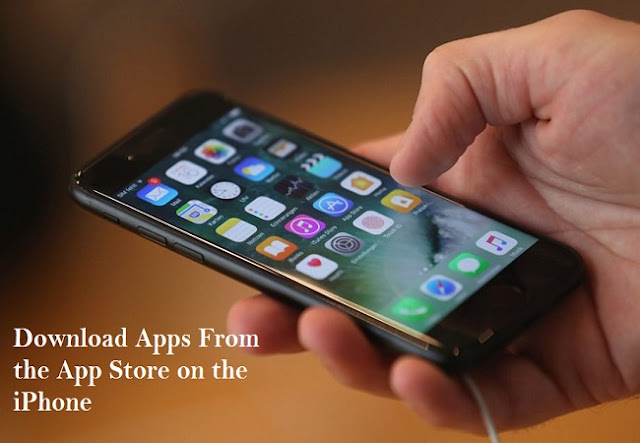
How to Download Apps From the App Store on the iPhone?

Image
There are several exciting and useful apps available in the Apple App Store. Some apps are free, and some are paid. Downloading and installing apps on the iPhone from the App Store is easy. Read on and learn how to do it. On the App Store Tabs Here is the process of using the App Store tabs. Follow the instructions carefully. •    First, you will have to go to the App Store on your device. •    After that, you can click on “Featured.” •    Then you can select “Categories,” you may choose particular categories of application like “Photo & Video” or “Entertainment.” •    Thereafter you can click on “Top Charts.” You can choose as per your preference like Paid, Free, and Top Grossing. •    Now, select Search to find that apps you want. Installing an App Here is the process of installing an app on an iOS device. Follow the instructions carefully. •    First, you will have...