Posts

Showing posts with the label iOS Devices

How to Use Photo Albums on iOS Devices

Image
In your iOS devices, you may want to organize or manage all your images stored. The Photo app on your smartphone enables you to access the image or video that you want. You may find all types of pictures & other videos like your selfies, Panoramas, Streams, Videos, and Camera Roll Photos, and so on. You can find and search all of them from their particular dedicated folder. You may add extra images to customize & arrange them. Here is how you can organize your images and videos in the Photo app on your iPhone or iPad. Creating fresh albums through the Photos App on your device Firstly, tap the “Photos” app to open. It is generally located on your application drawer or the Home Screen. Hit the “Albums” tab situated at the extreme lowermost portion. Then you have to hit the “Add” tab indicated by the “+” symbol located at the top-left side edge. Now you have to provide the name of your choice for the fresh album that you have created. Hit the “Save” button. Now...
How to Block Unwanted FaceTime Callers on iOS Devices

Image
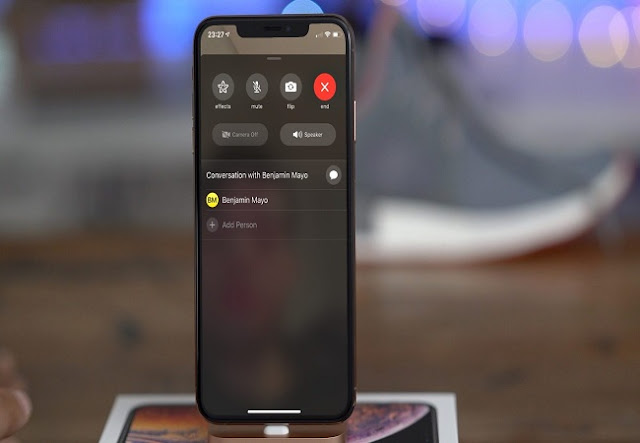
FaceTime is a video and audio calling service provided by Apple. It’s a great thing to connect to someone individually or in a group. It needs an internet connection to connect your call. You may use this feature on any iOS device or Mac. You may include multiple peoples in your FaceTime video calls. On the other hand, a FaceTime audio call provides you with a crystal clear sound. You may also make calls on your Apple Watch also besides iOS devices. Sometime you may get a lot of annoying video calls from unknown callers. You must want to block them instantly. Here is how you can do so. Follow the given mentioned procedures and you can do it. Blocking contacts in FaceTime application Follow these instructions will prevent other callers from FaceTiming you: First of all, go to the Home Screen of your iOS device and then tap the “FaceTime” application to launch. Now hit the Info tab located just after the contact’s name which you wish to block. Go to the lowermost portion ...

How to Navigate Photos for iOS Devices?

Image
Photos application saves every picture you capture with your iPhone. If you have a lot of pictures to scroll from, then finding a particular image can be difficult. In this article, I will tell you all the features and uses of the Photos app. Let’s get started. Switch Among Collections, Moments & Years Smart Groups If you want to switch among collections, moments & years smart groups for iOS device, then you need to follow the instructions given below. First of all, unlock the Photos application on your iPad & iPhone. After that, you should tap on the back option. Then tap on picture or video thumbnail to drag to a smaller group. Switch Between Days, Months & Years in iOS 13 You can switch between days, months & years in iOS 13, Here are the instructions given below. Get started by, opening the Photos app on your iPad or iPhone with iOS 13. After that, you should go to the Photos option. Go to the timeline that you ...